Multi-timeframe
15 entries. What each one takes, what it returns, and a working example.
Higher-timeframe value (stable — it does not change on later bars).
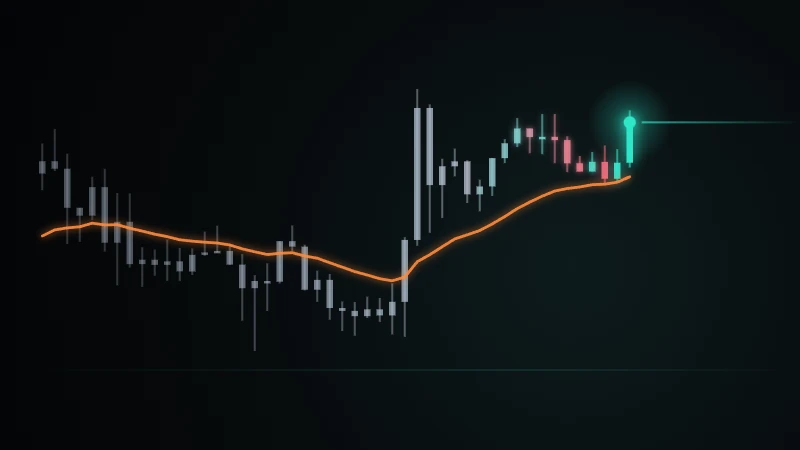
Samples the source to the higher timeframe: once each HTF bar COMPLETES, its last value is carried forward (constant within the bar).
Note
There is NO look-ahead — the value appears only after the HTF bar closes, so it does not peek into the future (repaint-safe). A simpler shortcut than `security` for same-symbol higher timeframes.
When to use
To use a higher-timeframe trend/level (e.g. daily close, weekly average) as a filter on a lower-timeframe chart.
Limits
Until the HTF bar closes the value comes from the previous completed bar (it does not show the currently forming HTF bar). timeframe must be a valid duration.
daily_close = htf("1D", close)
plot(daily_close, "Daily Close")
Carries the daily close onto the lower-TF chart as a step line.
plot(close > htf("1D", sma(close, 20)) ? 1 : 0, "Above daily SMA")
1 when price is above the daily 20-SMA (a higher-TF trend filter).
External Quandl data (discontinued → empty).
Always returns an empty (na) series — no data is provided because the source (NASDAQ Data Link) was discontinued.
Note
Present for backward compatibility; it returns no functional data because the source was shut down (the data provider itself has closed).
Limits
Always na. Use `seed` instead.
plot(quandl("FRED/GDP"), "Quandl")
Returns an empty (na) series — source is closed.
security(symbol, timeframe, source, gaps?, lookahead?, ignore_invalid_symbol?)
Series from another symbol/higher timeframe (source text=field name, or a series). Parameter names are English: symbol, timeframe, source. the 4th argument, gaps (barmerge.gaps_on/off), 5th lookahead (barmerge.lookahead_on/off). ignore_invalid_symbol is named-argument only: true → returns na instead of erroring on an invalid/unloaded symbol. (currency and calc_bars_count are not supported in this version.)
The series of the expression computed on the higher timeframe and aligned to the current bar without looking ahead.
Note
The higher-timeframe value is aligned after that bar CLOSES (it does not look ahead and does not change afterward). The `currency` (FX conversion) and `calc_bars_count` parameters are NOT supported in this version — if given, they are silently ignored. The higher-timeframe value aligns only after that bar closes; the symbol and timeframe must stay constant throughout the run.
When to use
For a multi-timeframe filter (for example, trading on the 5-minute according to the 1-hour trend direction).
Limits
The symbol and timeframe must stay fixed through the run (a symbol that changes bar by bar is not supported). Until the higher-timeframe bar closes, the last closed higher-timeframe value is carried forward — so it looks flat across the forming higher-timeframe bar.
Not for
Not for a symbol or timeframe that changes bar by bar — both must stay constant through the run. If you want the same data as the chart's own timeframe, you do not need security; use close/sma(...) directly. It is not for dropping to a lower (shorter) timeframe to read data early; a higher-timeframe value aligns only after that bar closes.
Tip
The higher-timeframe value aligns only after that bar closes; the symbol and timeframe must stay constant throughout the run.
The higher-timeframe value is aligned after that bar CLOSES (it does not look ahead and does not change afterward). The `currency` (FX conversion) and `calc_bars_count` parameters are NOT supported in this version — if given, they are silently ignored.
The higher-timeframe value aligns only after that bar closes; the symbol and timeframe must stay constant throughout the run.
plot(security(syminfo.tickerid, "60", close), "1h close", "#ff9800")
A stepped line of the 1-hour close on a 5m chart (updates every hour).
htf = security(syminfo.tickerid, "60", sma(close,20))
enterLong(crossover(close, htf))
exit(crossunder(close, htf))
BUY when price crosses above the 1-hour SMA20 — a higher-timeframe trend filter.
securityLowerTf(symbol, tf, source)
Intrabar data from a lower timeframe (LTF): for each bar it returns the lower-TF values inside that bar as an array. The request.security_lower_tf namespace form is equivalent.
For each main-chart bar, an array of the lower-TF values that fall inside that bar, in chronological order.
Note
Equivalent to `request.security_lower_tf(symbol, tf, source)` (the namespace form). The `source` expression may only reference built-ins, user functions (`fn`), and independent top-level variables.
Limits
Only accepts a LOWER timeframe — passing the same or a higher TF raises a clear error (use `request.security` for that). There is a depth limit on nested `request.security*` calls; exceeding it raises an error.
ltfCloses = securityLowerTf("BTCUSDT", "1", close)
plot(ltfCloses.size() > 0 ? ltfCloses.get(ltfCloses.size() - 1) : na)
Returns an array of 1-minute lower-TF closes for each main-chart bar; plots the last element.
External (seed) data series. na if no data.
Returns a symbol's series from a custom seed dataset, aligned to the bars.
Note
Populated only if the terminal supplies the relevant seed data; otherwise na.
Limits
If this data is not supplied by the terminal, the series is empty (na). Fundamental-data coverage varies by symbol/market.
plot(seed("seed_crypto", "BTC_ACTIVITY"), "Seed series")
Plots the series from the seed source (if data exists).
Another symbol's series (.open/.high/.low/.close/.volume), aligned to this chart's time. For pair-RV.
The series of another symbol (.open/.high/.low/.close/.volume), aligned to this chart's time.
Note
For pair/ratio strategies: ratio = close / sym("LTCUSDT").close. The returned object's fields are used in calculations like any series.
When to use
To compare two instruments on one chart, build a ratio/spread, or measure relative strength or correlation (market-neutral pairs).
Limits
At most 4 additional symbols. The data must be supplied by the terminal; if it is not loaded the call raises. Series are aligned to this chart's bar times (the secondary symbol's own gaps are carried onto the aligned grid).
Not for
Not for a higher timeframe of the same symbol — use htf or security for that.
ratio = close / sym("LTCUSDT").close
plot(ratio, "Ratio")
Plots the price ratio of the two symbols (the basis of a pair/ratio strategy).
plot(correlation(close, sym("LTCUSDT").close, 30), "Correlation")
Plots the 30-bar correlation between this symbol and LTCUSDT.
Exchange prefix (before ':').
Returns the prefix before ":" in the ticker; an empty string if there is no ":".
Note
To extract which exchange/provider a symbol belongs to.
When to use
To decide or label by the exchange part of a ticker (e.g. applying a rule only to the symbols of one exchange).
Limits
Splits on the first ":"; returns an empty string for a symbol without a ":".
label(close, syminfoPrefix(syminfo.tickerid))
Labels the exchange prefix of the chart's symbol.
Ticker id (after ':').
With an argument, returns the symbol part after ":" (e.g. "BTCUSDT"); called with no argument, returns the currently processed symbol.
Note
Bare syminfoTicker() yields the active symbol in multi-symbol scans (useful inside request.security loops and securityLowerTf expressions).
When to use
To get the bare symbol code without a prefix, or to learn the currently processed symbol inside a scan for labeling/logging.
Limits
The argument form takes what follows the first ":" (or the string as-is if there is no ":"). The bare form returns an empty string when no active symbol is set.
label(close, syminfoTicker(syminfo.tickerid))
Labels the chart symbol's code (e.g. BTCUSDT).
Heikin-Ashi 'virtual ticker' marker — computes nothing by itself; pass it as the SYMBOL of security(tickerHeikinashi(symbol), tf, source) and source (close/open/high/low) then returns that symbol's Heikin-Ashi-transformed value. Empty symbol or syminfo.ticker means the current chart itself — only at the chart's OWN timeframe (tf empty/matching); a different tf errors out.
Computes nothing — returns a 'virtual ticker' marker (text) meant for security()'s SYMBOL argument. The actual Heikin-Ashi transform is applied when security() runs.
Note
Mirrors the common idiom: security(tickerHeikinashi(syminfo.ticker), "" instead of timeframe.period, close). The close/open/high/low inside that call are NOT standard bars — they are the Heikin-Ashi formula (close=(o+h+l+c)/4, open=average of the previous HA-open/HA-close, high/low=max/min of the real value and HA-open/HA-close).
When to use
When you want an HA-based source (e.g. a crossover against HA-close) without switching the main chart to Heikin-Ashi.
Limits
Only works at the chart's OWN timeframe — a different timeframe (e.g. "1D" on a 1h chart) raises a clear error (it does NOT produce an approximate/wrong result). For another symbol's Heikin-Ashi, that symbol must already be loaded elsewhere in the code via sym()/security().
CodeScript operates on standard (time) bars; Heikin-Ashi bars are not produced. Instead of silently returning wrong (standard-bar) results, it raises a clear error.
haClose = security(tickerHeikinashi(syminfo.ticker), "", close)
Takes the close from the symbol's Heikin-Ashi bars; the chart still shows normal bars while the calculation runs on smoothed ones.
Inherits symbol settings. Example result: BTCUSDT
Returns the first ticker UNCHANGED (identity).
Note
Intended for a symbol to inherit another symbol's settings; it has no effect on standard bars (a placeholder).
When to use
For syntax compatibility when porting code where one symbol inherits another's settings.
Limits
Returns the first ticker unchanged; no real setting is carried over from the source ticker.
label(close, tickerInherit("BINANCE:ETHUSDT", syminfo.tickerid))
Returns the first ticker as-is (ETHUSDT).
CodeScript operates on standard (time) bars; Kagi bars are not produced. Instead of silently returning wrong (standard-bar) results, it raises a clear error.
CodeScript operates on standard (time) bars; Line-break bars are not produced. Instead of silently returning wrong (standard-bar) results, it raises a clear error.
Modifies the ticker id. Example result: BTCUSDT
Returns the ticker UNCHANGED (identity).
Note
Intended to attach session/adjustment settings to a ticker; since CodeScript works on standard bars, this transform leaves the symbol as-is (a placeholder).
When to use
Present for syntax compatibility when porting code that attach session/adjustment settings.
Limits
Returns the ticker unchanged; no session/adjustment transform is applied.
Not for
Not for changing the bar type (renko/heikin-ashi, etc.) — those transforms raise an error here.
label(close, tickerModify(syminfo.tickerid))
Returns the chart symbol's ticker as-is.
Combined 'PREFIX:SYMBOL' ticker id.
Returns a full ticker string in "PREFIX:SYMBOL" form (just the symbol if the prefix is empty).
Note
Used to build a full ticker for security or sym. The result is a string, not a series.
When to use
To assemble a fully-qualified ticker from an exchange prefix + symbol to pass to security/sym.
Limits
It only concatenates text (prefix + ":" + symbol); it does not fetch data by itself. If the prefix is empty the result is just the symbol.
label(close, tickerNew("BINANCE", "BTCUSDT"))
Builds the full ticker; use it in security.
CodeScript operates on standard (time) bars; Point & Figure bars are not produced. Instead of silently returning wrong (standard-bar) results, it raises a clear error.
CodeScript operates on standard (time) bars; Renko bars are not produced. Instead of silently returning wrong (standard-bar) results, it raises a clear error.
Standard ticker id. Example result: BTCUSDT
Returns the ticker UNCHANGED (identity).
Note
Intended to convert a symbol to a standard (untransformed) ticker; since CodeScript works on standard bars, this transform leaves the symbol as-is (a placeholder).
When to use
To explicitly state that a symbol should use the standard bar type (behavior is standard already).
Limits
Returns the ticker unchanged; it has no effect since CodeScript already produces standard bars.
label(close, tickerStandard(syminfo.tickerid))
Returns the chart symbol's ticker as-is.
Instrument the backtest computes P&L on (instead of close). Pair/spread mode.
Does not return a value; the backtest's profit/loss is computed over this series.
Note
For simulating trades on a ratio/spread instead of close (pair mode). If not called, the backtest uses close.
When to use
When signals are generated on a pair/ratio and P&L should be computed on that same pair (market-neutral backtest).
Limits
It may be called only once in the same code (a second call raises). The argument must be a series.
Not for
It draws nothing; use plot for visual output. It is not needed when you trade the chart symbol itself (close is the default instrument).
x = sym("LTCUSDT")
ratio = close / x.close
trade(ratio)
enterLong(crossover(ema(ratio,5), ema(ratio,13)))
enterShort(crossunder(ema(ratio,5), ema(ratio,13)))
Trades EMA crossovers on the ratio; P&L is computed on the ratio instead of close.
securityLast(symbol, timeframe, source, ignore_invalid_symbol?)
The LAST known value of another symbol/timeframe — a single number. The value is the SAME on every bar, so it is meant for panels and labels that show one figure. Do not use it in a calculation that looks back: that would leak the future — use security() there.
The last known value (a single number). Identical on every bar.
Note
security() aligns the secondary series to EVERY chart bar and pulls the whole range. For a single figure in a panel this form pulls far less: measured on a 3,270-bar chart, 4,200 bars sufficed instead of ~1,360,000, with identical output.
plot(securityLast(syminfo.tickerid, "", close))
Fetches and plots the last close from another timeframe, giving the completed value rather than the bar still forming.