01 Grid Bot
What is a Grid Bot
and how does it work?
You set a price range; the bot splits it into levels and places a buy below each level and a sell above it. As price moves back and forth inside the range, it collects the difference.
Levels and orders · buys and sells fill in turn as price swings inside the range
02 How it works
It doesn't predict.
It harvests the swings.
A grid does not try to know where price is going; it works for as long as price stays inside the range. It buys at lower levels, sells at higher ones and books the gap between levels on every completed round trip. That is why it suits sideways, choppy markets.
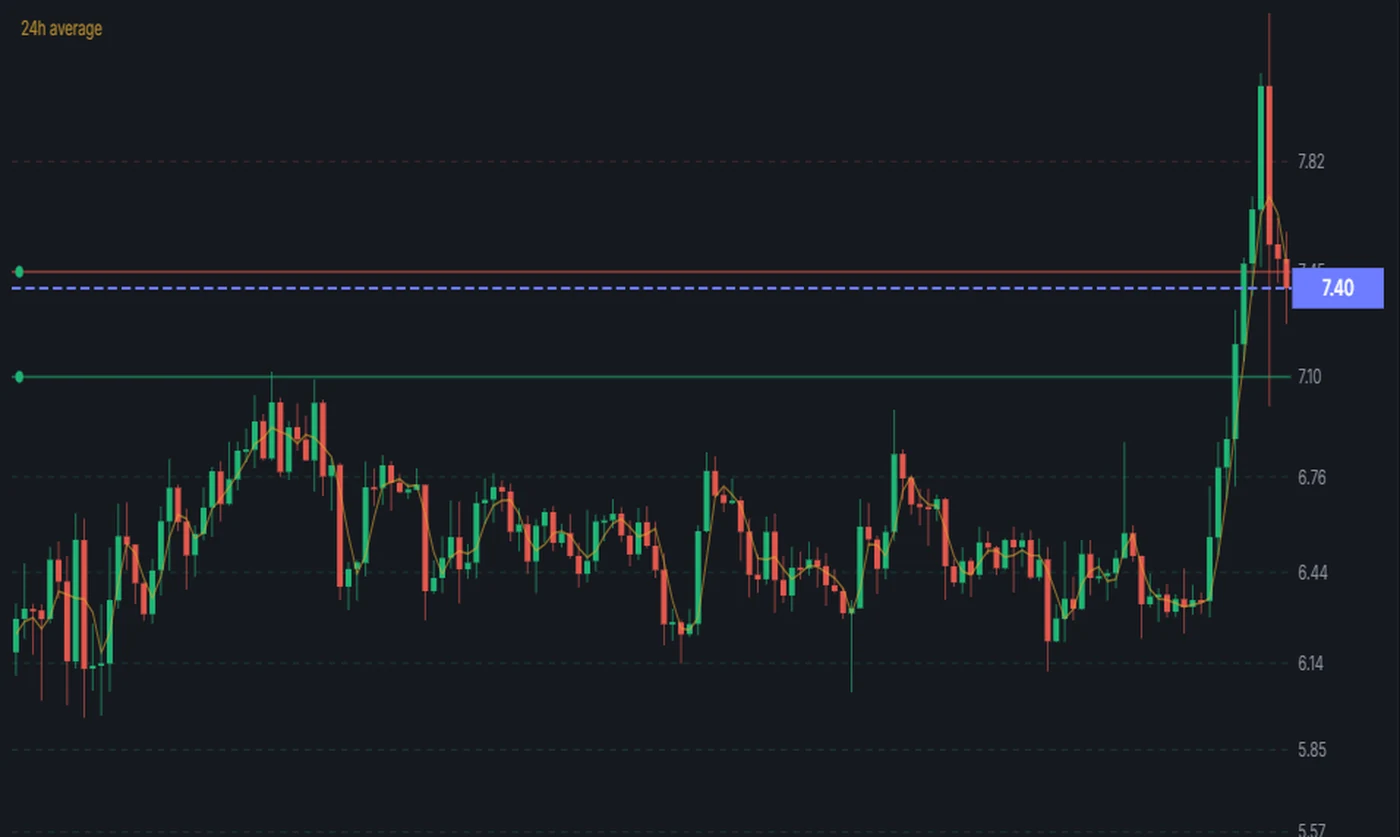
Grid levels over a real candle chart · dashed lines are the levels, solid lines the open orders
03 Setup
Four steps
to set it up.
Pick the pair, enter the range, choose the mode and launch.
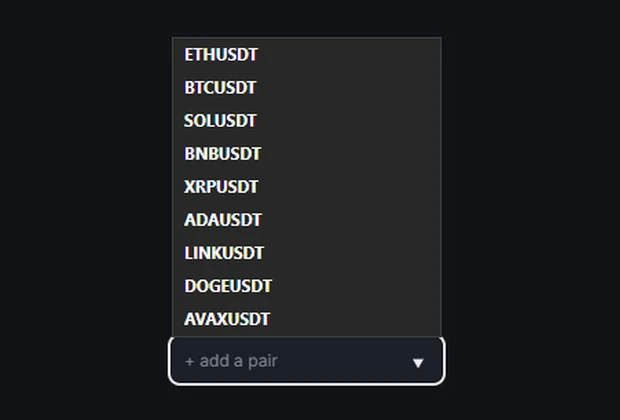
Pick a pair
Add the pair you want to run. Several bots can run at once; each has its own settings.
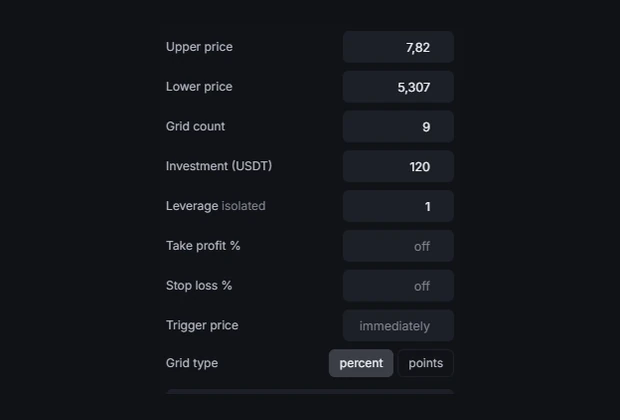
Range and levels
Enter the lower and upper price, how many levels, and how much you are allocating. If unsure, “Find the best settings” suggests a starting point from past data.
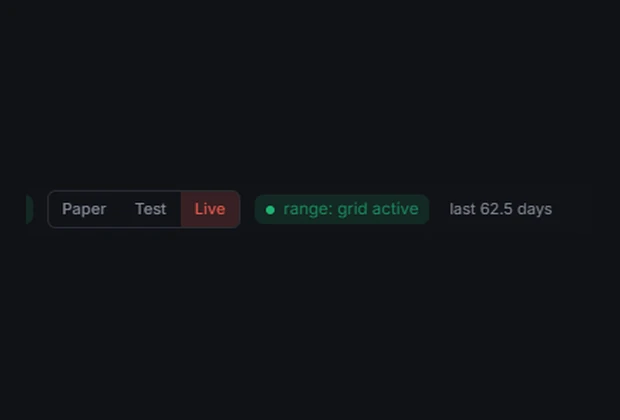
Choose the mode
Paper, Test and Live. Start with Paper or Test on your first setup; real money asks for separate confirmation.
Launch and watch
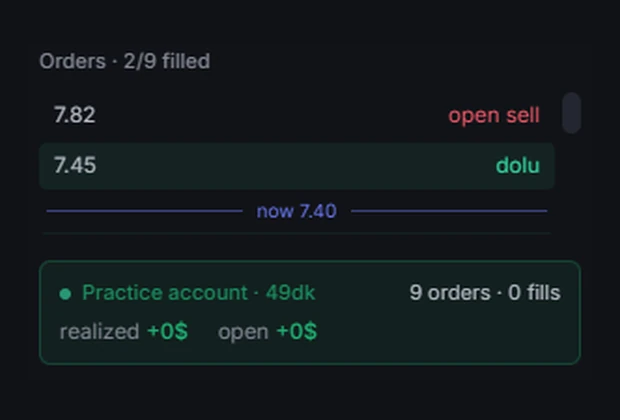
The order list shows which levels are filled and which are open. Pause keeps the orders; Stop cancels them all but does not close your position — if one remains, the panel warns you and shows a separate “Close position and clean up” button. The bot will not restart until that position is closed.
04 Guided tour
The panel guides you
step by step.
The first time you open the Grid Bot, a fourteen-step tour starts. Each step shows what to do next right on screen: choose the environment first, then the range, the levels and the protections. You can skip it any time and start it again later — everything on this page is also inside the panel.
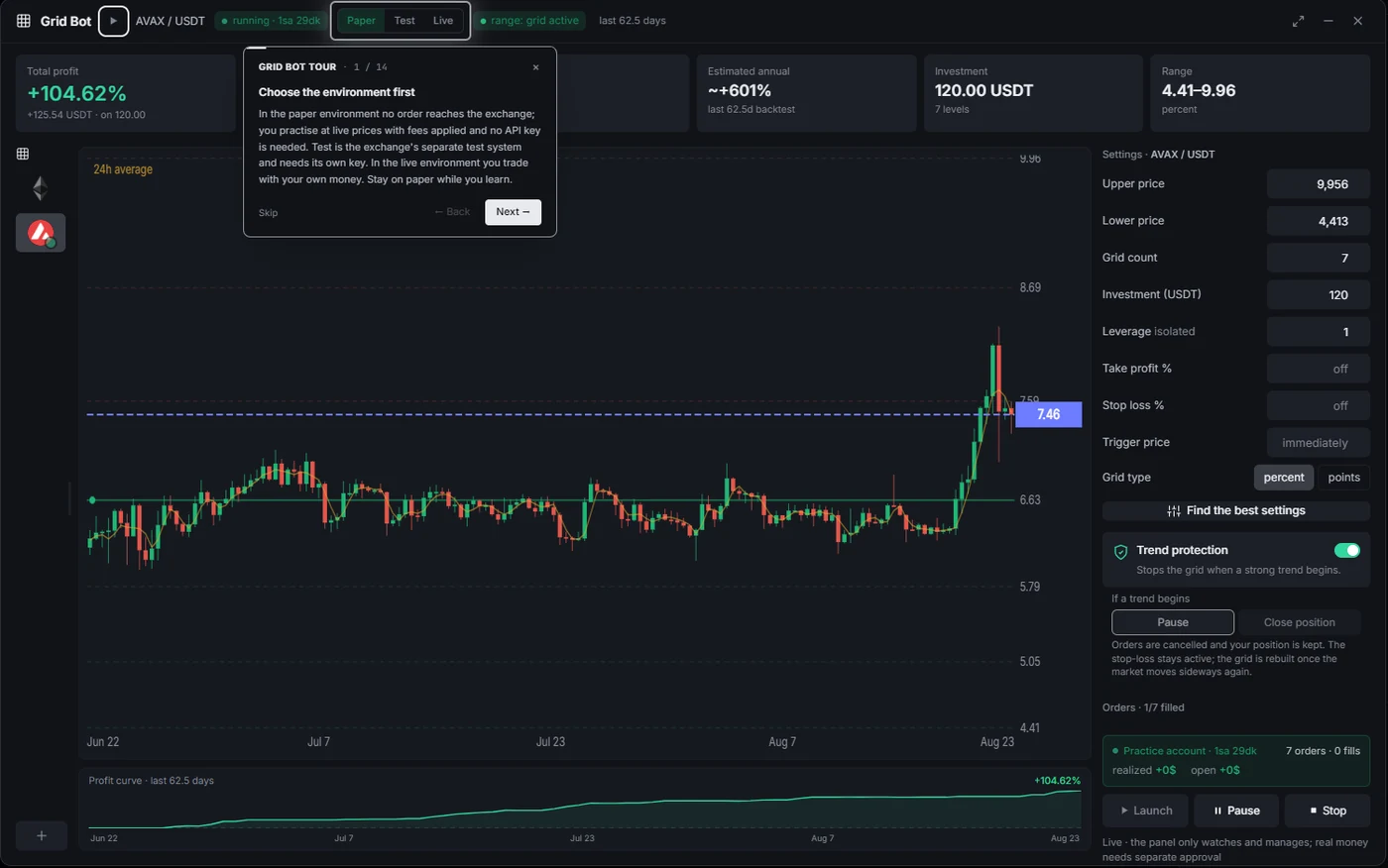
The first step of the tour · choosing the environment — the difference between paper, test and live is explained inside the panel
05 Settings
What each
setting does.
Eight fields: two set the range, two the size, two the exit and two the timing.
| Upper / Lower price | The range the grid works in. Outside it, no new levels open. |
| Grid count | How many slices the range is cut into. More levels means more trades but less profit per level. |
| Investment | The total amount the bot uses. It is spread across the levels. |
| Leverage | It does not change order size — the amount at each level comes only from Investment (Investment ÷ grid count). Leverage lowers the margin locked for the position and brings the liquidation price closer. It runs on isolated margin, so one bot's loss cannot sweep your other positions. Default is 3. |
| Take profit % | When realised and open profit together reach this percentage of Investment, the bot cancels the orders and closes the position with a market order. Off means it runs without a target. |
| Stop loss % | When loss reaches this percentage of Investment, the bot cancels the orders and closes the position with a market order — the loss is realised at that moment. Setting it also places a protective order on the exchange; that order deliberately sits wider than your limit, because it is only meant to fire when we are not running. |
| Trigger price | The grid is not built immediately; it waits until price reaches this level. Useful for waiting on a zone. |
| Grid type | Whether levels are spaced by equal percentage or equal points. Percentage spreads more evenly across wide ranges. |
06 Protection
When a trend starts,
it steps aside.
A strong one-way move is a grid's weak spot. With trend protection on, the bot pauses the grid by itself when a strong trend starts. You pick one of two behaviours: Pause cancels the orders but keeps your position; the stop loss stays active and the grid is rebuilt once the market goes sideways again. Close position also closes what you hold.
Stops the grid when a strong trend begins.
If a trend begins
Orders are cancelled and your position is kept. The stop-loss stays active; the grid is rebuilt once the market moves sideways again.
Orders are cancelled and the position is closed. Your loss is realised at that moment.
The panel's trend protection section · the two options side by side
07 Modes
Start with
practice first.
All three modes run the same bot; the difference is where the orders go.
No orders go anywhere. The bot runs on past and live data and computes the result. No exchange key needed.
Real orders go to the exchange's test environment, but the money is fake. You see the whole flow without risk.
Real orders go to your real account. It asks for separate confirmation and requires membership; the risk is yours.
08 Limits
What you should know.
The bot only runs while the terminal is open. The code that drives the grid runs inside the terminal; when you close it, level tracking, counter-orders and the take-profit/stop-loss check all stop. Only the protective order placed on the exchange remains, and it deliberately sits wider than your limit — with your computer off, the loss can go beyond the limit you set.
If you use leverage, there is liquidation risk. On futures, if your margin is not enough the exchange force-closes your position and you can lose all the margin allocated to it. This can happen without the stop loss running: if price moves fast, liquidation comes first. The higher the leverage, the closer the liquidation price.
A grid does not win in every market. It is built for sideways, choppy conditions. If price leaves the range and runs one way, lower levels fill and unsold inventory stays on your hands — that shows up on screen as open loss.
The percentages on screen come from backtests. They are results computed on past data, not a record of earnings, and they do not show that the same result will repeat. A live bot starts counting from zero. The “estimated annual” figure is not a past result at all: it simply stretches a short test to a year in a straight line, so treat it as arithmetic, not as a forecast.
“Find the best settings” looks backwards. It suggests the settings that worked best on past data. There is no guarantee that what worked before will work next.
This is not investment advice. This page explains how a tool is used. You decide which pair, what amount and which settings to run; the responsibility is yours.
09 Panel
All on one screen.
Your bots on the left, the real candle chart with grid levels in the middle, settings and the order list on the right.
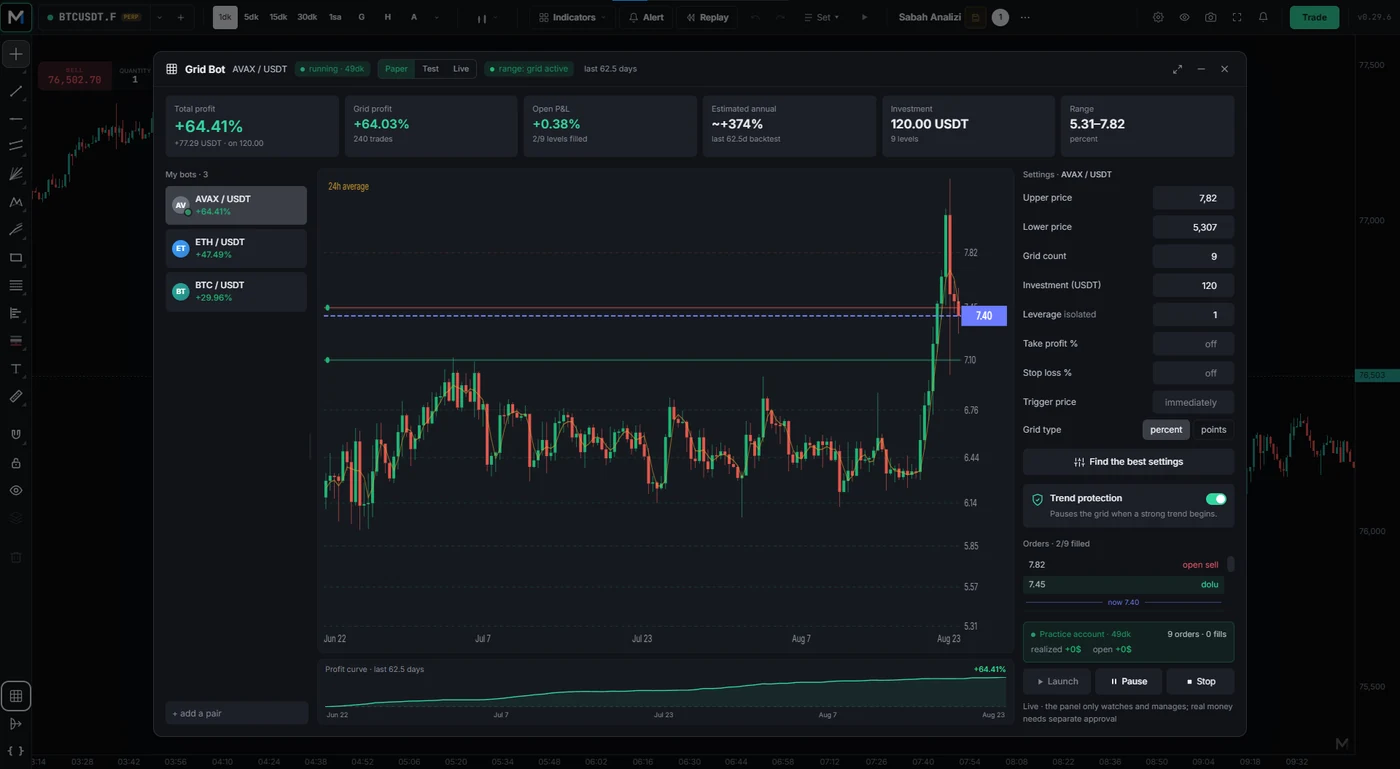
The Grid Bot panel · the percentages shown come from a backtest, not a record of earnings
The Grid Bot runs inside Markuda Terminal.
markuda.com